Custom Web Hosting Panel APIs
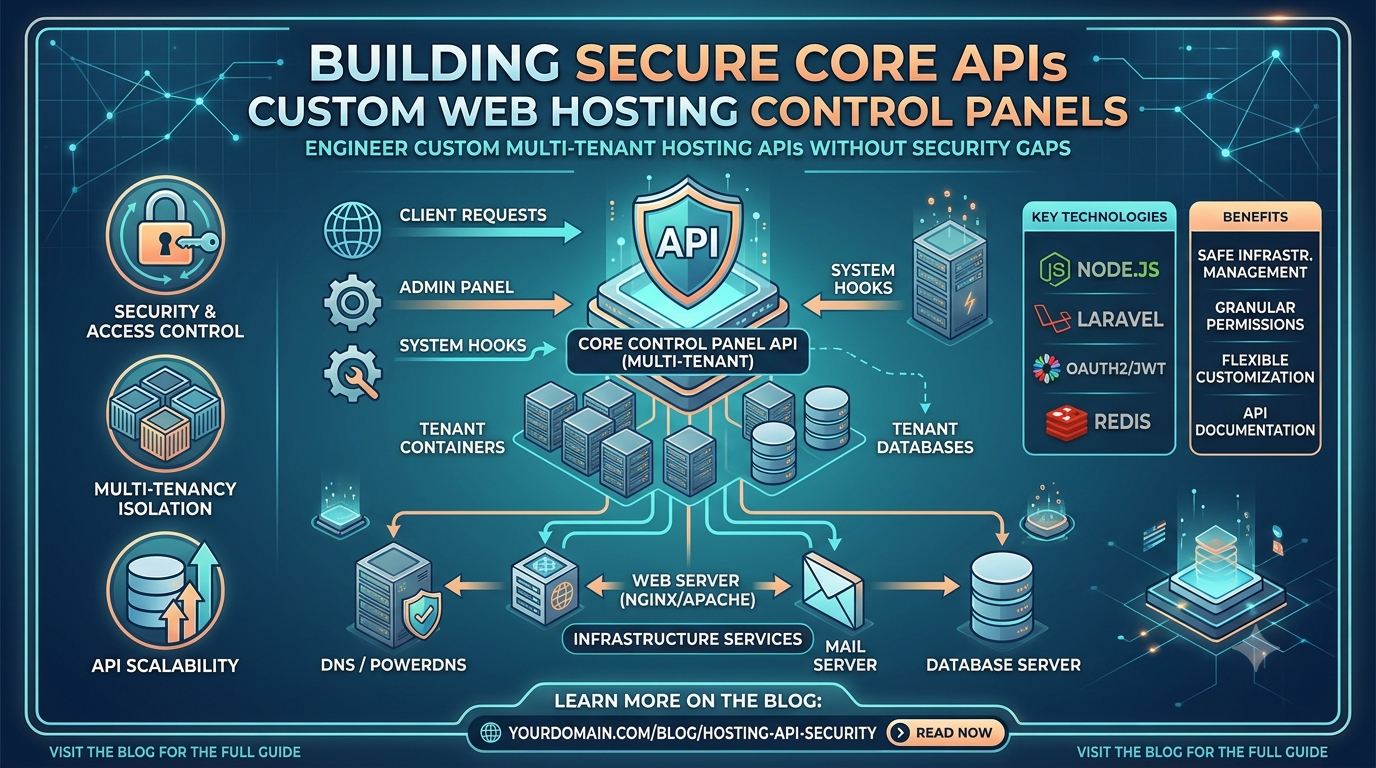
Discover how to engineer custom multi-tenant hosting panel APIs using Node.js and Laravel to safely manage system infrastructure without security gaps.
API Engineering
Designing Multi-Tenant Control Panel APIs with Hardened Linux Isolations
Technical Deep Dive • 10 Min Read
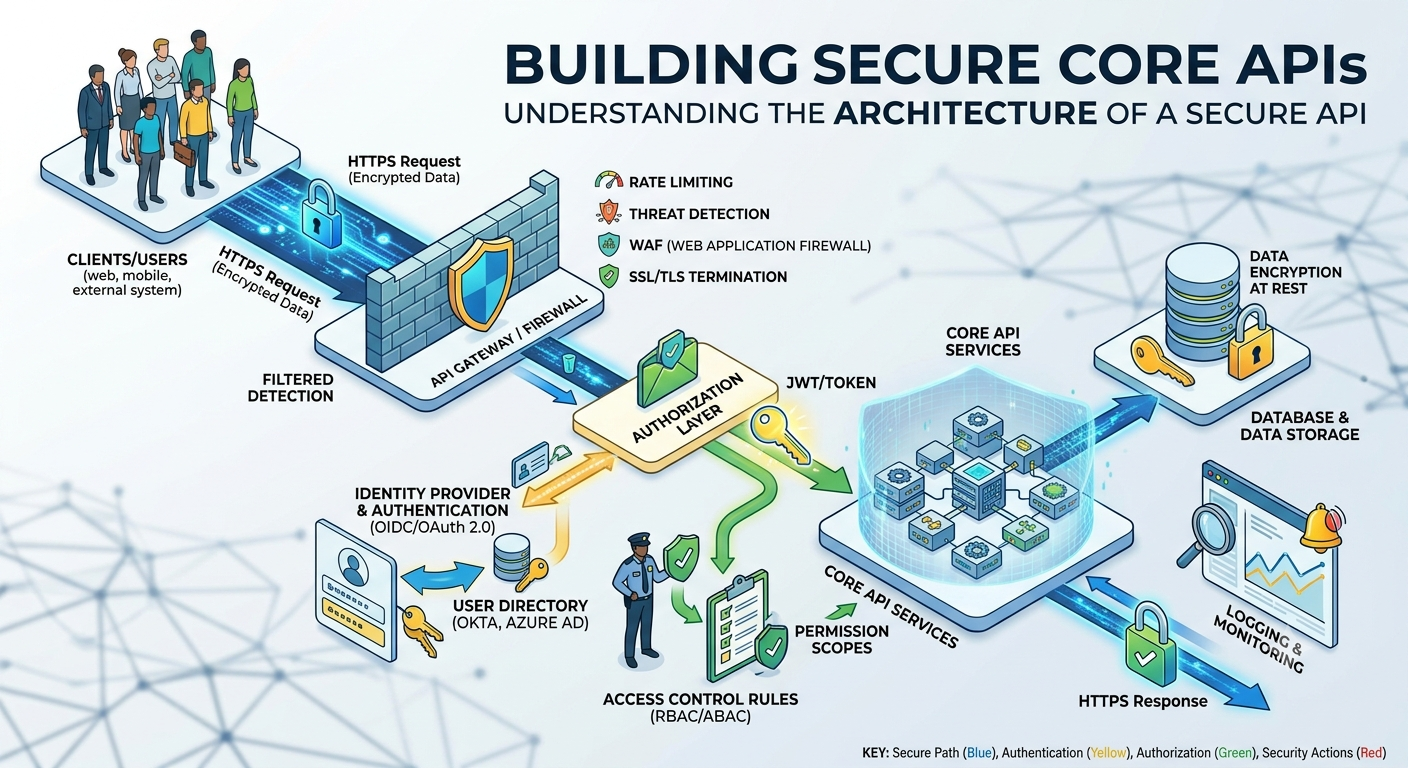
The Importance of Custom Infrastructure Orchestration
Generic off-the-shelf hosting control panels consume massive server overhead and limit multi-tenant UI flexibility. Building a Custom Hosting Panel API allows platforms to spin up isolated web blocks, virtual hosts, and proxy gateways programmatically. However, because these systems execute low-level Linux operations (like managing users, restarting Nginx, or editing system configuration files), keeping these API processes strictly decoupled from root execution is highly critical.
Safely Executing Infrastructure Commands via API
Never pass unsanitized input variables straight into shell execution wrappers. Instead, parse commands through strict data verification objects, sanitize parameters thoroughly, and execute processes using specific limited sudo privileges.
Secure Node.js Controller Snippet for Virtual Host Provisioning
const { execFile } = require('child_process');
const validator = require('validator');

exports.createVhost = async (req, res) => {
    const { domainName } = req.body;

    // Strict Domain validation to mitigate shell inject vectors
    if (!domainName || !validator.isFQDN(domainName)) {
        return res.status(400).json({ error: "Invalid fully qualified domain input structural format." });
    }

    // Safely invoke a specialized script using native array passing arguments
    execFile('/usr/local/bin/panel-vhost-provisioner.sh', [domainName], (error, stdout, stderr) => {
        if (error) {
            return res.status(500).json({ error: "System virtualization deployment failed.", details: stderr });
        }
        return res.status(200).json({ success: true, log: stdout.trim() });
    });
};
Production Safeguard
Ensure the system runner for your API process map belongs to a heavily restricted group, allowed to execute only specific micro-scripts within the server's local /etc/sudoers.d/ permissions configuration file.
Leave a comment
Your email address will not be published. Required fields are marked *