Disaster Recovery: Architecting Failover Systems and Automated Backups
Discover how to plan and execute disaster recovery workflows, verify daily database backups, and build automated high-availability application clusters
Disaster Recovery
Disaster Recovery: Designing Continuous Replication and Zero-Loss Failover Clusters
Operations Guide • 11 Min Read
Why Untested Manual Backups are a System Illusion
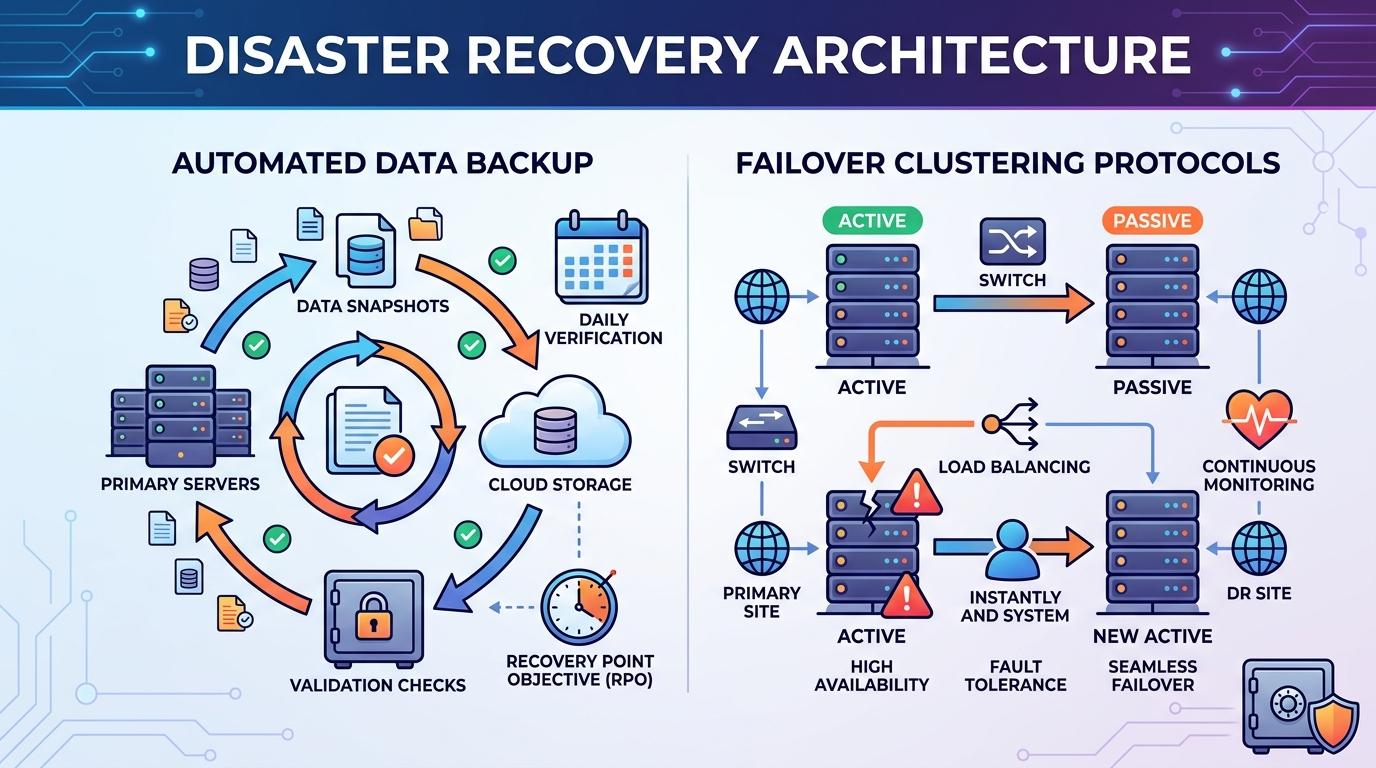
The value of any data backup depends entirely on how quickly and reliably it can be restored during a critical failure. Relying on simple cron scripts that dump unverified database files onto the same server instance offers zero protection against catastrophic cloud provider outages. Implementing an **automated, multi-region backup pipeline combined with continuous system health checks** keeps data safe, secure, and ready to deploy if primary systems drop.
Writing Hardened Automated Encryption Export Hooks
Your automated backup scripts should output clean, encrypted data streams and store them directly inside decoupled cloud object storage networks, completely clear of your main application server's file system.
Bash Security Export Automation
#!/usr/bin/env bash
set -eo pipefail # Instantly stop execution script if any sub-command drops

BACKUP_TARGET_NAME="db_dump_$(date +%Y%m%d_%H%M%S).sql.gz"
STORAGE_VAULT_URI="s3://enterprise-cold-backup-vault/production-db/"

echo "Initiating dynamic database compression export sequence..."
mysqldump --single-transaction --quick production_core_db | gzip > "/tmp/${BACKUP_TARGET_NAME}"

echo "Streaming data dump file directly to secure isolated object storage arrays..."
aws s3 cp "/tmp/${BACKUP_TARGET_NAME}" "${STORAGE_VAULT_URI}${BACKUP_TARGET_NAME}"

echo "Cleaning localized working files..."
rm "/tmp/${BACKUP_TARGET_NAME}"
echo "Backup pipeline cycle successfully completed without errors."
Disaster Recovery Metric
Regularly schedule automated restoration tests in isolated sandboxes to verify your backups remain healthy. An untested database backup cannot be trusted to save your system during real infrastructure emergencies.
Leave a comment
Your email address will not be published. Required fields are marked *